Open source · Local AI · Built for creators
Create without limits.
Professional design tools. Powerful local AI. Your creativity stays in your hands.
- Headline — NEON RECKONING
- Subtitle — EP. 07
- Badge
- Glow overlay
- Background — AI generated





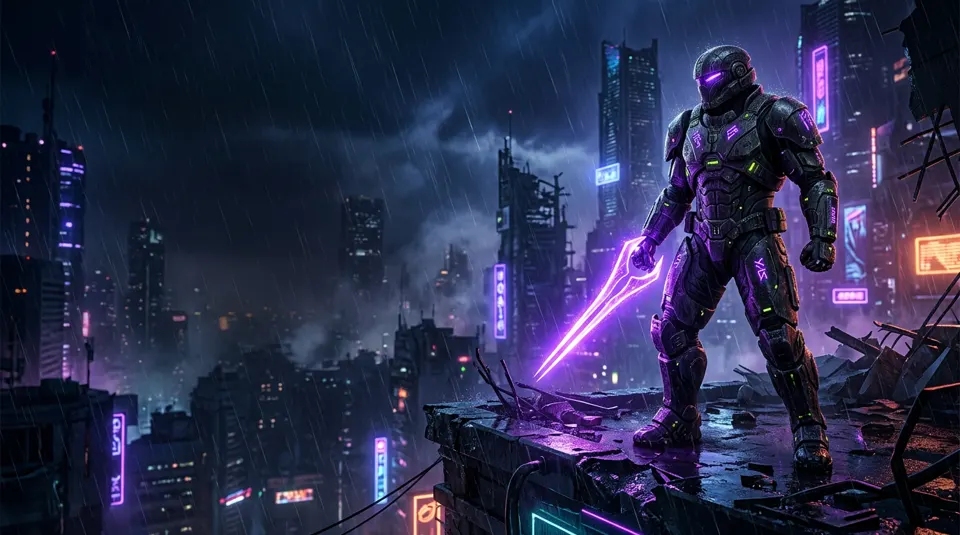
Reckoning
Armored warrior on a rainy neon rooftop, violet energy blade, cinematic…



Features
Everything you need to create.
From the first idea to the final export, Vyra brings your creative workflow together.
01Professional Design Editor
Every element. Every layer. Every detail.
A canvas built for real design work: add text, images and shapes, arrange them in layers, align and distribute with precision, and compose the exact frame you have in mind. When it is ready, export it at the size your platform needs.
- Text
- Images
- Shapes
- Layers
- Alignment

02AI Image Generation
Your ideas, brought to life.
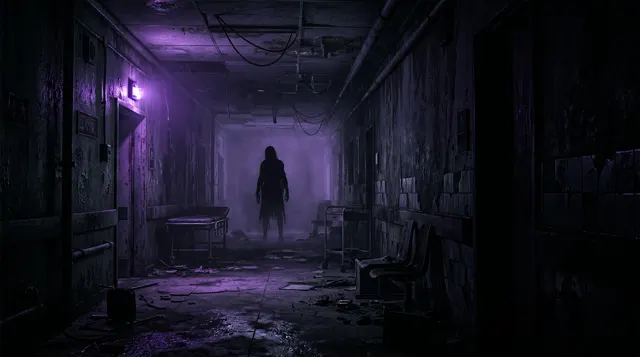
Vyra is designed to connect with image models running on your own machine, so you can generate backgrounds, illustrations and visual assets from a description — then drop them straight onto the canvas.
Results depend on the model you choose and the hardware you run it on.
03Built for Creators
Made for the content you create every day.
Thumbnails, covers, overlays and posters — the formats creators publish daily, all in one studio.
 YouTube thumbnail16:9
 TikTok cover9:16
 Stream overlay21:9
 Gaming poster2:3
 Social graphic4:5
 Banner3:1
04Editable by Design
AI creates the assets. You control the final result.
A generated image is a single picture — great as a background or element. The design comes together when you layer your own text, shapes, logos and images on top, and those layers stay editable at any time.

05Your Workspace, Your Rules
Your projects. Your assets. Your control.
Local-first by design: projects, assets and exports are meant to live in folders you choose on your own disk, so your work stays yours — no account needed just to open your own files.
06Open Source
Built in the open. Improved together.
Development happens in public. Read the code, report issues, propose changes and help decide what comes next.
Local AI
Powerful AI.
Running on your machine.
Create with compatible local models, keep control of your workflow and avoid per-generation API charges when using local inference.
- Vyra
Vyra
Editor & canvas
Local AI Engine
Runs on your computer
Your Models
Chosen & installed by you
Your Creations
Saved to your disk
Ollama
Local language models to help with prompts, ideas, video titles, descriptions and creative assistance — right inside your workflow.
ComfyUI
Local image generation workflows and other compatible visual processes, with results sent back to your Vyra canvas.
Local generation requires compatible models and sufficient hardware. Model downloads, storage requirements, licensing and performance vary by model. An internet connection may still be needed to download Vyra, models and updates. Ollama and ComfyUI are independent projects installed separately.
Gallery
Imagine it. Create it. Make it yours.
Concept artwork created for this website to show the kind of designs Vyra is built for. These are not exports from a released version of the app.
Philosophy
A different way to create.
Cloud design platforms are polished and convenient. Vyra explores a different trade-off: local tools, local AI and open code.
| Aspect | Vyra | Typical cloud design platforms |
|---|---|---|
| Distribution model | VyraOpen-source desktop application, installed on your computer. | Cloud platformsWeb or app experience tied to an online account, usually with free and paid subscription tiers. |
| AI execution | VyraDesigned to use models running locally through Ollama and ComfyUI. | Cloud platformsAI features run on the provider’s servers. |
| AI cost per use | VyraNo per-generation fee with local inference. Hardware, electricity and storage still have a cost. | Cloud platformsCommonly limited by plan, credits or usage quotas. |
| File control | VyraProjects and assets saved as files in folders you choose. | Cloud platformsDesigns stored primarily in the provider’s cloud, with export options. |
| Customization | VyraChoose your own models and workflows; the code can be modified and extended. | Cloud platformsCustomization within the product’s features and official integrations. |
| Code transparency | VyraSource code open to inspect and improve. | Cloud platformsGenerally proprietary, closed source. |
Vyra is in active development and not every capability described here is available yet — see the roadmap for current status. Cloud platform characteristics are general and vary by product and plan; check each provider’s official documentation for details.
Open source
Creative freedom should be open.
Vyra is built around an open-source philosophy: a creative tool you can inspect, improve and help shape.
- GitHub repositoryComing soon
- Source codeComing soon
- Contribution guideComing soon
- Issue trackerComing soon
- LicenseComing soon
- Development roadmap
How to contribute
- 01
Explore
Read the code and the roadmap to see where help is needed.
- 02
Discuss
Open an issue to report a bug or propose an idea before building it.
- 03
Build
Fork the repository, make your change and open a pull request.
- 04
Ship together
Changes are reviewed in public and released for everyone.
The public repository is not published yet. Contribution links will appear here as soon as it is.
Licenses are separate
The Vyra application license covers Vyra’s own source code. AI models, fonts, templates and third-party dependencies each keep their own licenses and terms — check them before commercial use.
- Application
- To be announced
- Models
- Per model
- Fonts & templates
- Per asset
- Dependencies
- Per package
Roadmap
Where Vyra is today.
Real progress, stage by stage. Statuses are updated as work lands — nothing is marked complete before it ships.
Overall progress8%
Foundation
In ProgressBase architecture and project structure.
- Desktop application shell
- Project file format and storage layout
- Rendering and document model
- Contribution and build tooling
Design Editor
PlannedCanvas, layers and editing.
- Infinite canvas with artboards
- Text, image and shape layers
- Alignment, snapping and grouping
- PNG and JPG export
Local AI
PlannedIntegration with Ollama and ComfyUI.
- Connect to a local Ollama instance
- Prompt, title and idea assistance
- Connect to local ComfyUI workflows
- Send generated images to the canvas
Creative Tools
PlannedTemplates, brand kits and image tools.
- Format presets for creators
- Reusable templates
- Brand kits: colors, fonts, logos
- Image adjustments and cropping
Windows Release
PlannedPackaging, testing and distribution.
- Installer packaging
- Testing on a range of hardware
- Public release notes
- Update channel
Community
PlannedContributions and continuous improvement.
- Public issue tracker and discussions
- Contribution guide
- Community templates
- Regular release cadence
FAQ
Questions, answered honestly.
Vyra is an open-source desktop design studio for creators. It combines a visual editor — text, images, shapes and layers — with AI tools that run on your own computer, for things like YouTube thumbnails, TikTok covers, stream graphics and social posts. It is currently in development.
Vyra is intended to be free to download and use as open-source software, with no mandatory subscription. Running AI locally has no per-generation fee, but your hardware, electricity and storage still have a cost.
Yes, Vyra is built as an open-source project. The public repository and the license will be linked on this page as soon as they are published.
That is the core idea. Vyra is designed to connect with Ollama for language models (prompts, ideas, titles, descriptions) and ComfyUI for image generation workflows, both running on your machine. You choose and install the models you want to use.
Not necessarily. Requirements depend on the models and features you use. Many image models run best on a dedicated GPU, and NVIDIA cards are the most widely supported, but some workflows can run on other GPUs, Apple Silicon or the CPU — often more slowly. The design editor itself does not require an AI-capable GPU. Not every model will run on every machine.
Once Vyra and your models are installed, editing and local AI generation are designed to work without an internet connection. You will still need a connection to download the app, models and updates.
With local inference there are no per-generation API charges — the work happens on your computer. The real costs are your hardware, electricity and disk space. Some models also have licenses that restrict certain uses, so check each model’s terms.
Vyra is local-first: projects and assets are saved as files in folders on your own computer that you control. You decide whether and where to back them up or sync them.
The first editor milestone targets PNG and JPG export, the formats most platforms expect. Additional formats will be listed here as they are implemented.
Yes — contributions are welcome, from code and bug reports to design feedback and documentation. A contribution guide and issue tracker will be linked in the Open source section once the repository is public.
Your creativity. Your rules.
Start creating with a different kind of design studio.
In development · No public release yet · Windows first